Key Takeaways
- Agree on the review goal, scope, and final decision owner before sharing the design.
- Give clients one current version, clear instructions, and an agreed feedback deadline.
- Keep feedback attached to the work and consolidate conflicting requests before revising.
- Check required changes before asking for an explicit approval of the current version.
- Record the final decision and treat later changes as a new review.

The design is ready. You send it to the client, ask for their thoughts, and wait. One person replies with a few changes. Another sends a different direction. Someone else says it looks great, but you still do not know whether you can move forward.
This is often a process problem. The team has asked for feedback without making the decision clear: what is being reviewed, who decides, and what counts as approval?
A simple client design approval process gives each round a purpose. It helps your agency collect useful input, protect the agreed scope, and finish with a clear answer. Here is a seven-step workflow you can adapt to your next project.
1. Agree on the Brief and the Decision Owner
Before the first review, confirm what the design needs to achieve. For a service landing page, that might mean explaining the offer and making an enquiry easy to start. For a campaign asset, it could mean communicating one message to a particular audience.
Use that goal to define this round. Are you reviewing layout, copy, imagery, or the finished design? Tell the client which decisions are open. A layout review becomes difficult to manage if half the stakeholders think they are approving the brand identity.
Then identify one person who can give the final decision. That person can gather input from colleagues, but should be able to settle conflicting requests. This is an agreement about the client’s process, rather than a claim about a particular app permission.
- Goal: What should the audience understand or do?
- Scope: What is open for feedback in this round?
- Decision owner: Who will confirm the final direction?
- Timing: When is consolidated feedback needed?
2. Prepare One Clear Version for Review
Make the work easy to identify. Use a descriptive project and file name, then point reviewers to the version you want them to assess. “Homepage, revised headline and enquiry section” gives more context than “final-new-3.”
Include a short introduction explaining what changed and what you need checked. If you are presenting several screens, explain their order and relationship. Reviewers should spend their attention on the design rather than working out which file is current.
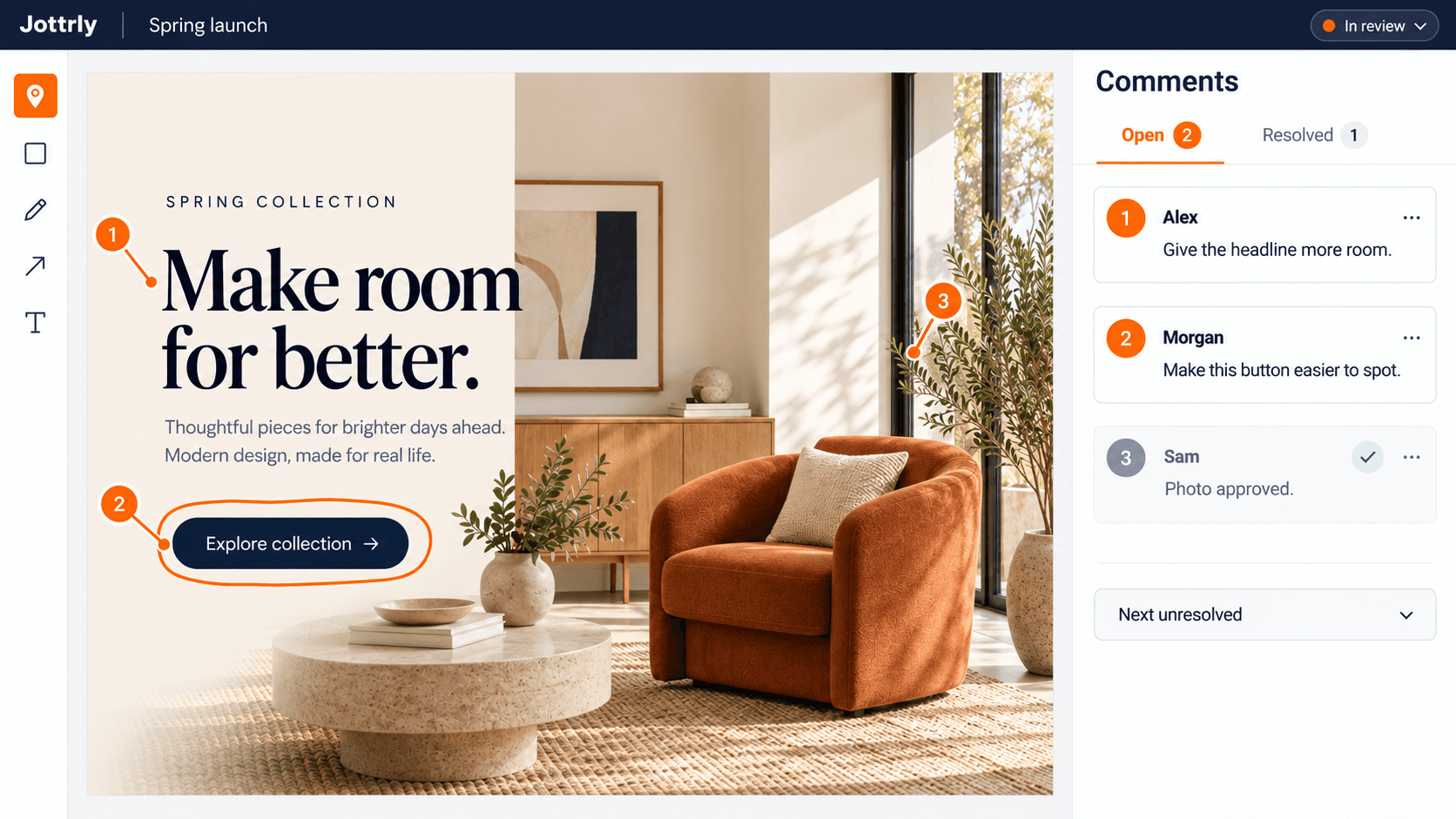
Jottrly is a visual feedback and approval tool for creative teams and agencies. You can upload designs, screenshots, and PDFs, keep revisions in version history, and collect comments on the work. The How It Works page shows the upload, review, and approval sequence.
3. Send a Review Brief, Not Just a Link
A review link answers where to look. It does not answer what to assess. Add a short brief with the review scope, the version, the feedback deadline, and the next decision you need.
Ask the client to collect stakeholder input before the agreed deadline. If someone joins late, explain how their feedback will affect the next round. Set those expectations together rather than assuming everyone understands your agency’s process.
An Unclear Request
“Here’s the latest design. Let us know what you think.”
A Clear Review Brief
“Please review the homepage layout and approved copy in version 2. Add specific comments by Thursday. Morgan will consolidate the feedback so we can prepare the approval round.”
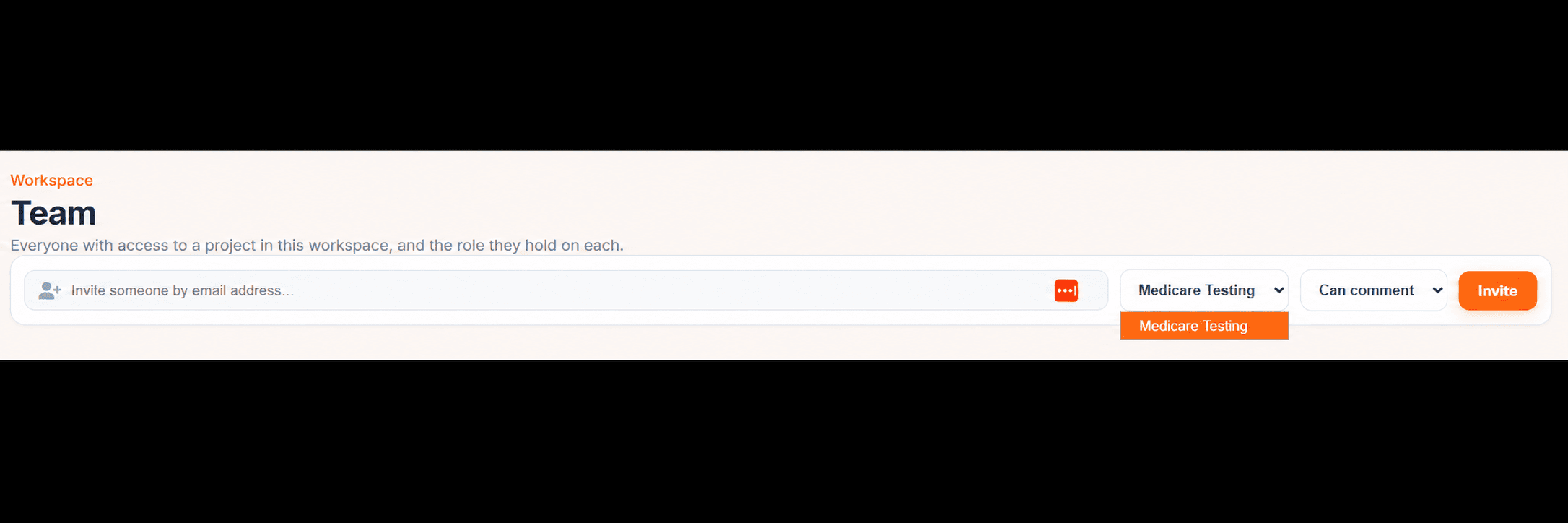
Jottrly supports share links and asset privacy controls. Check that the people involved have the intended access before starting the review. See the sharing and workspace overview for the product presentation.
4. Collect and Consolidate the Feedback
Keep feedback attached to the relevant part of the design. A numbered pin on the headline makes a comment easier to interpret than a separate message saying “the top section needs work.” Use one thread for each distinct issue so the discussion has a clear completion point.
Ask reviewers to describe the problem and the desired result. They can suggest a solution, but the designer needs to understand the reason behind it. Our guide to giving design feedback your team can actually use includes examples and a reusable comment format.
Before revising, separate required changes from suggestions and questions. These can be simple labels in the comment text. Then resolve contradictions with the client decision owner. If one reviewer wants a shorter headline and another wants more detail, the designer needs an agreed direction.
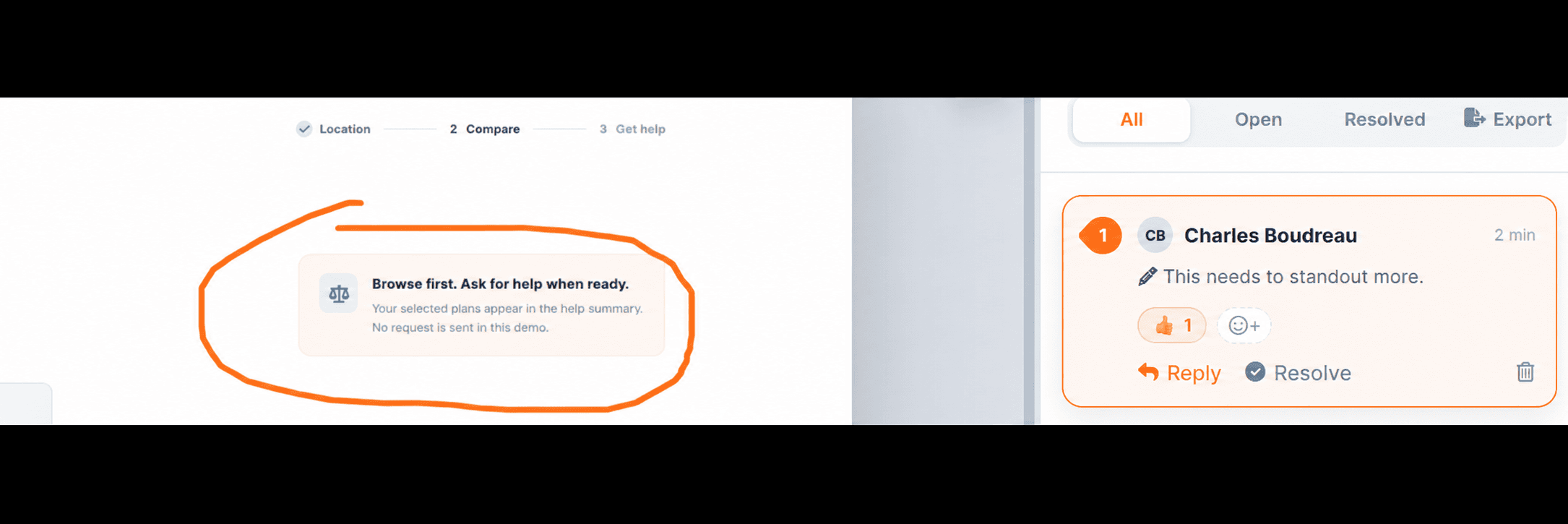
Jottrly’s comment threads and @mentions keep discussion connected to each mark. Use the discussion to clarify the request before starting work rather than guessing what the client meant.
Give Your Next Client Review a Clear Home
Bring the work, annotations, and review conversations into Jottrly.
5. Check the Revision Against the Requests
When the designer uploads a revision, explain the changes in a short summary. Refer back to the requested outcomes: “The headline is shorter, the main action is more prominent, and the contact details have been corrected.”
Check each required change on the current version before resolving its comment. A comment can be complete while another issue remains open. If a change introduces a new concern, discuss it clearly instead of treating the upload itself as proof that the round is finished.
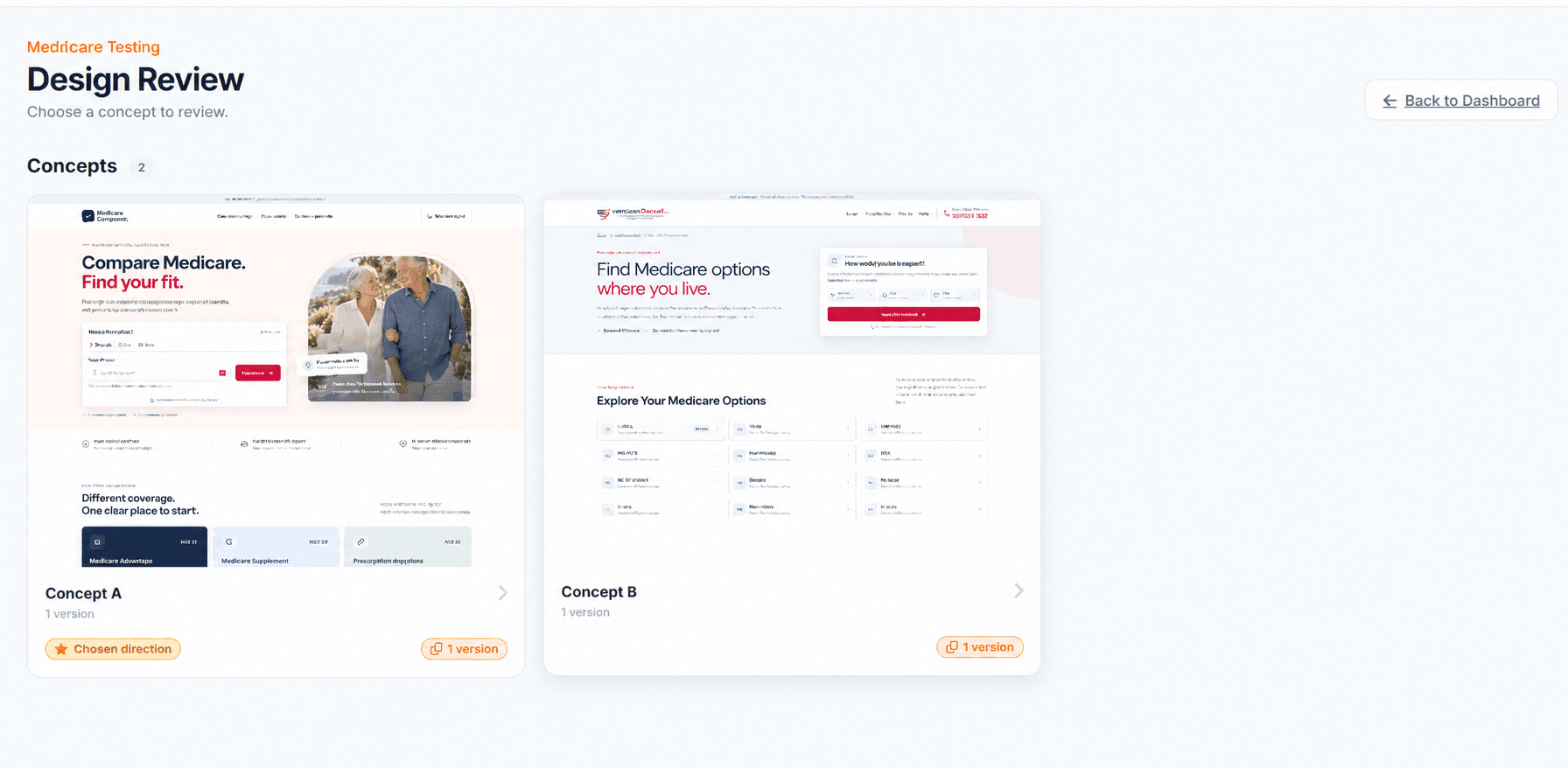
Jottrly supports version history, resolved comments, and a Next unresolved button. Use those features to work through the review deliberately. Version history helps keep revisions together; this workflow does not depend on a side-by-side comparison feature.
6. Ask for an Explicit Approval
When the required changes have been checked, ask the decision owner to confirm the current version. “Looks good” may be encouraging, but an approval request should identify the file, the version, and the scope of the decision.
A Simple Approval Request
“Please confirm whether homepage version 3 is approved for design handoff. This round covers the layout, imagery, and copy shown in that version. If changes are still required, add them to the review before we proceed.”
Jottrly uses the statuses In review, Changes requested, and Approved. Keep the status aligned with the decision the team has made. A resolved comment describes an individual issue; an Approved file communicates the wider outcome.
Do not treat silence as approval. If the deadline passes, contact the decision owner and agree on the next step. Any reminder or follow-up in this workflow is something your team arranges; it does not assume automatic email notifications from Jottrly.
7. Record the Decision and Prepare the Handoff
Before handing over the work, check that everyone can identify the approved version. Keep a concise record of the decision and any remaining dependencies, such as supplying final images or preparing implementation files.
Jottrly includes project activity and comments export as CSV or PDF. Use the export options when you need to carry review notes into the next stage. Your agency can archive a project once the work is complete.
If the client requests a change after approval, identify the new request and agree on scope and timing. Review the revised work again before handoff. That keeps an earlier decision from being mistaken for approval of a later version.
Your Client Approval Checklist
- The goal, review scope, and decision owner are agreed.
- Reviewers know which file and version to assess.
- The feedback deadline and instructions are clear.
- Conflicting requests have one agreed direction.
- Required changes have been checked on the revision.
- The final decision identifies the current version.
- The handoff includes the approved work and relevant review notes.
A good approval process does not need a long rulebook. It needs a clear brief, useful feedback, and a decision everyone can understand. Start with these steps, then adapt the timing and responsibilities to the way your agency works.
Explore the Jottrly Product page to see how the review workflow could fit your team.
Frequently Asked Questions
Who should approve a client design?
Agree on one final decision owner with the client before the first review. Other stakeholders can contribute feedback, but the agency needs a clear answer when requests conflict. Choose the person who can confirm that the work meets the agreed brief.
Can clients review work through Jottrly?
Jottrly supports share links for client reviews, along with asset privacy controls. Share work with the people involved in the review. Guest account requirements are still provisional in this website preview.
Does resolving every comment mean the design is approved?
No. Resolving a comment closes an individual issue. Approval is the decision about the file as a whole. Jottrly uses In review, Changes requested, and Approved statuses to make that wider decision visible.
What should we do with conflicting client feedback?
Ask the client decision owner to consolidate the feedback into one direction. Explain the tradeoff against the agreed goal and record the chosen outcome before the designer starts the next revision.
How should we handle a change after approval?
Identify the exact version and the requested change, then agree on the new scope and schedule. Put the revised work through a fresh review before handoff. This is a recommended process, not a claim that Jottrly automatically resets approvals.
Which files can we review in Jottrly?
Jottrly supports designs, screenshots, and PDFs. Reviews can include numbered pins, drawings, highlights, arrows, text annotations, and per-mark comment threads with @mentions. Comments can be exported as CSV or PDF.
Bring Clarity to Your Client Approvals
Keep feedback with the design and make the next review decision easy to follow.
Compare the demo plans and limits before choosing a starting point.