Product tour

One canvas for marking up, discussing, and deciding.

Jottrly is a visual feedback and approval tool for creative teams and agencies. Keep every comment attached to the exact spot it's about, from the first pin to the final approval.

Jump to features
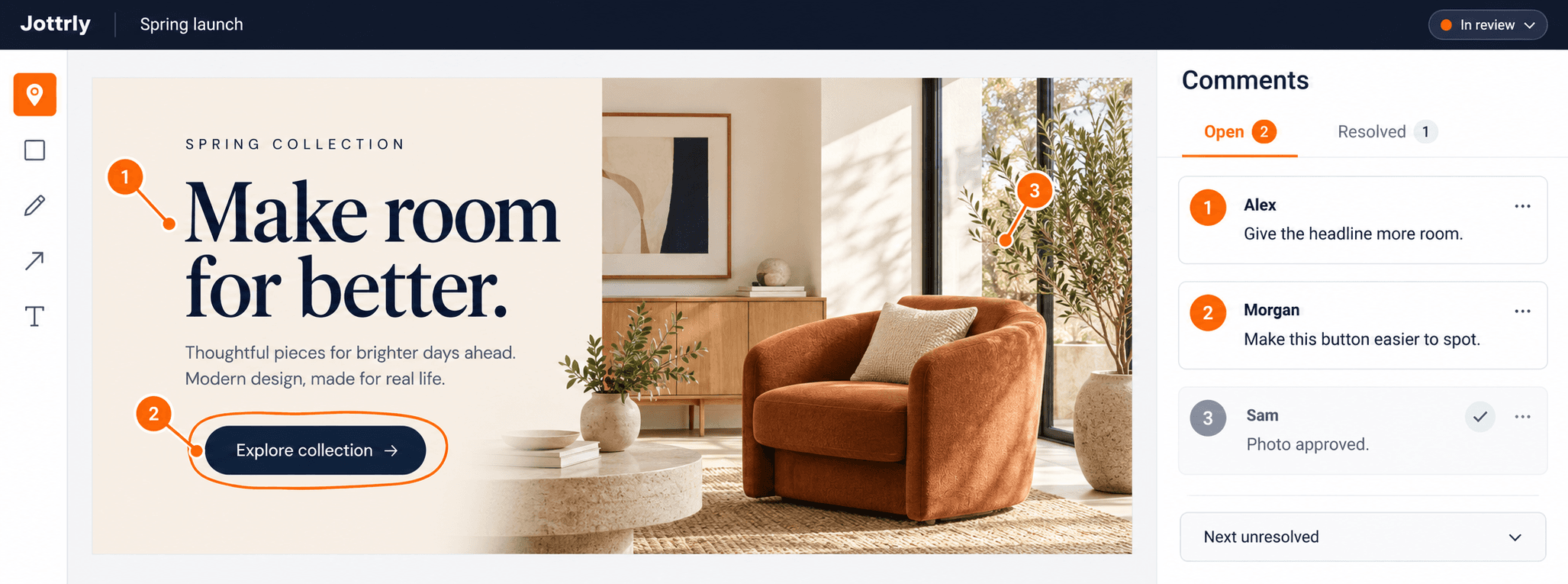
Illustrative Jottrly campaign review with numbered annotation pins, a highlighted button, and matching open and resolved comment threads

Visual annotations

Point at the pixel, not a paragraph.

Choose a tool and mark the design exactly where the feedback applies. Each mark gets a stable number, so "see #4" always means the same thing.

PinBoxFreehandArrowText label
  • Zoom from 25% to 400% and pan around large artboards
  • A mini-map keeps you oriented on big designs
  • "Next unresolved" jumps straight to the next open thread
  • Marks stay locked to the design at every zoom level and screen size
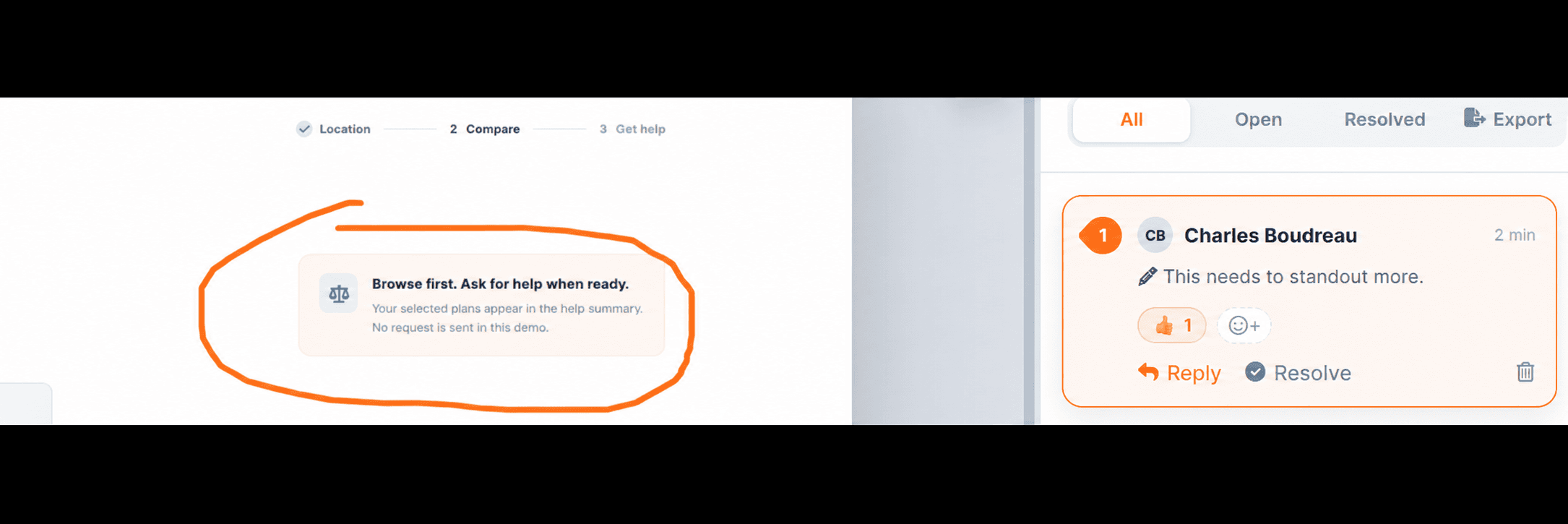
A freehand annotation circling part of a design, with its comment thread beside it

Illustrative review interface

Threaded comments

Every mark opens a conversation.

Discussion stays attached to the spot it's about : no more matching screenshots to email replies.

Mentions & replies

Loop in the right person, instantly.

Mention a teammate in the review and keep the conversation in the annotation's own thread. Replies stay connected to the exact spot that needs attention.

AK

Alex K.

Illustration

@Morgan can we give this headline more room?

1 replyReply
Next unresolved

Jump straight to the next open issue, so the team can work through feedback without hunting across the canvas.

Resolve & filter

Mark threads resolved when they're handled, then filter by All, Open, or Resolved.

Real replies

Reply in-thread so the full back-and-forth lives next to the design, not in someone's inbox.

AKJMRS

Project activity

Follow recent activity across your projects and keep track of reviews that still need attention.

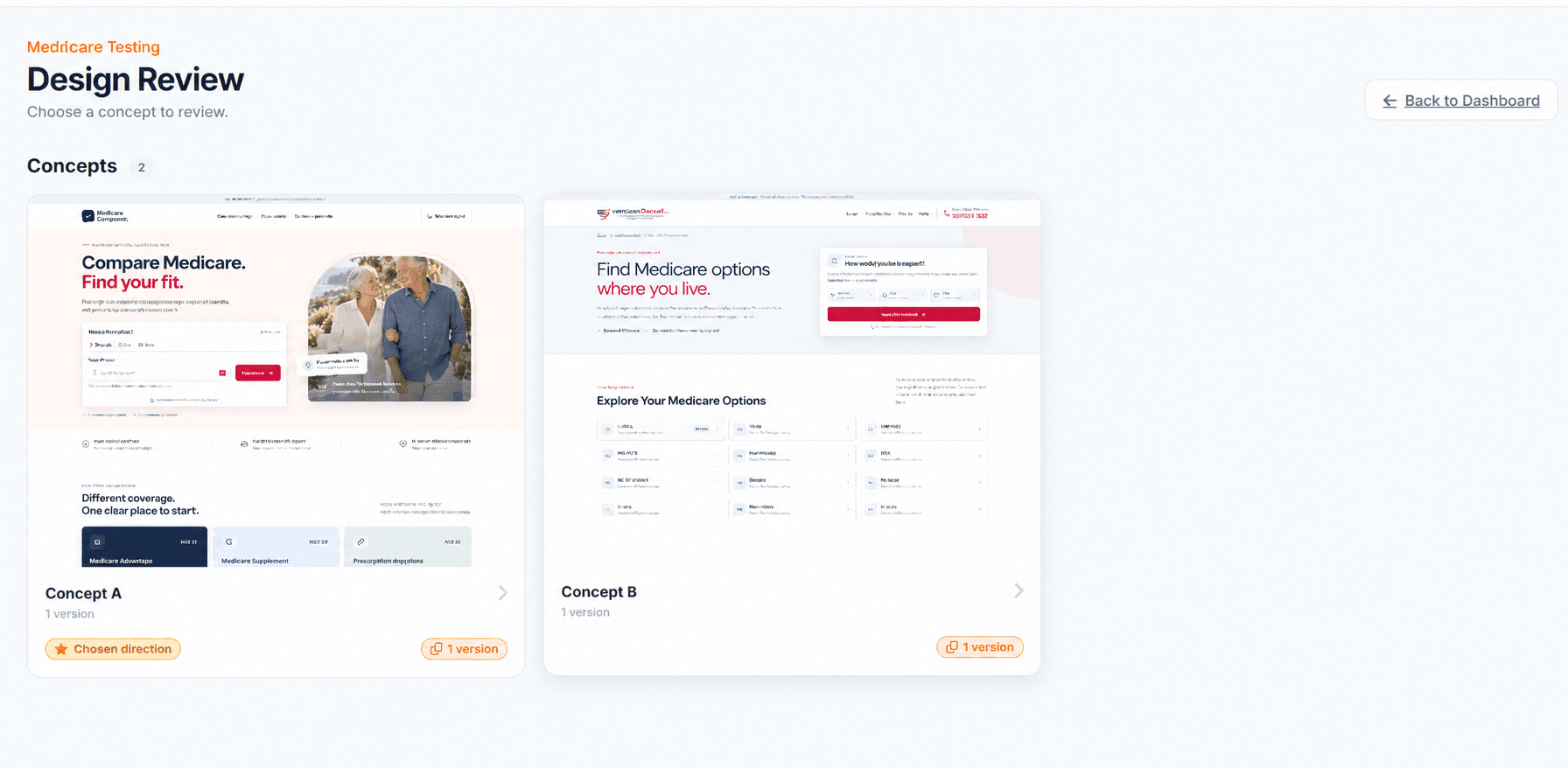
Jottrly concept picker showing two design concepts, one marked as the chosen direction

Illustrative review interface

Concepts, versions & approvals

Know what changed. Know when it's done.

Organize each review into concepts : parallel design directions : and upload new versions of each as the work evolves.

  • Explore multiple concepts in one review
  • Version history (v1, v2, v3…) for every concept
  • Mark one concept as the chosen direction
  • Approve a concept : Jottrly records who signed off and when

Roles & share links

The right access for everyone in the room.

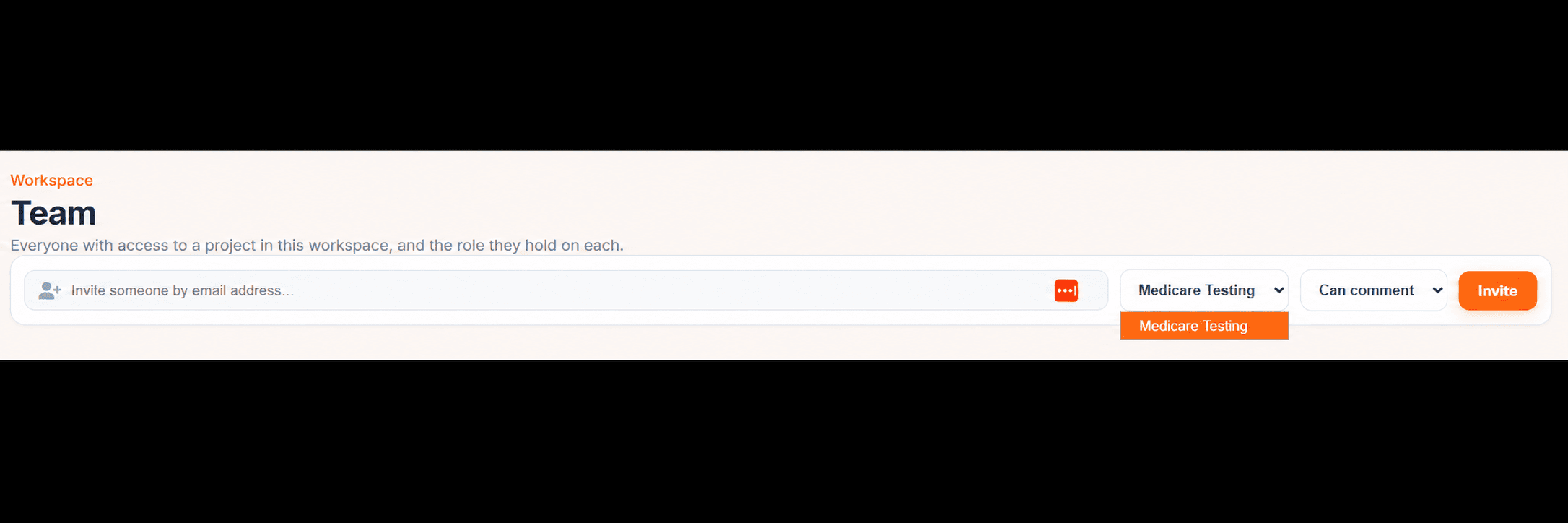
Invite teammates by email with a specific role, or send a share link so clients can join the review without creating an account.

Jottrly team screen: invite by email and choose a role

Illustrative review interface

RoleViewCommentManage
Owner
Admin
Member

Illustrative permissions for this preview. Workspace roles in Jottrly are Owner, Admin, and Member; detailed permissions and guest access are provisional.

Export a punch-list

Export comments to CSV or create a PDF report to share with whoever is making the changes.

Project organization

Search, filter, and sort projects. Rename work as it evolves, or archive completed projects to keep your workspace focused.

Use cases

Built for anyone who reviews visual work.

Product design

Review UI screens with PMs and engineers, pinning feedback to specific components.

Brand & campaign

Explore creative directions as concepts and pick a chosen direction together.

Web & landing pages

Mark up full-page mockups and screenshots, zooming in on the details that matter.

Client reviews

Send a share link, collect client feedback in context, and capture a clear approval.

Your next review could be your clearest yet.

Upload a design and invite your first reviewer in minutes.