Key Takeaways
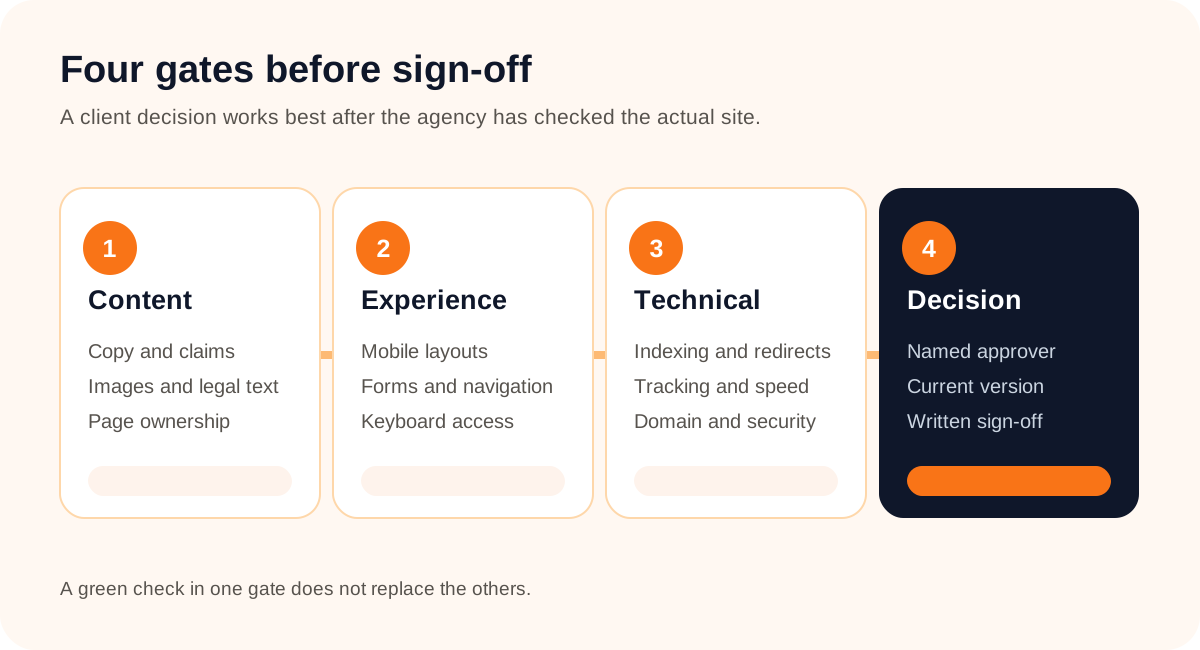
- Client approval and technical launch readiness are separate decisions.
- Review the named version for content, offers, audience fit, and primary actions.
- Test forms, navigation, mobile layouts, accessibility basics, search visibility, and tracking on the actual website.
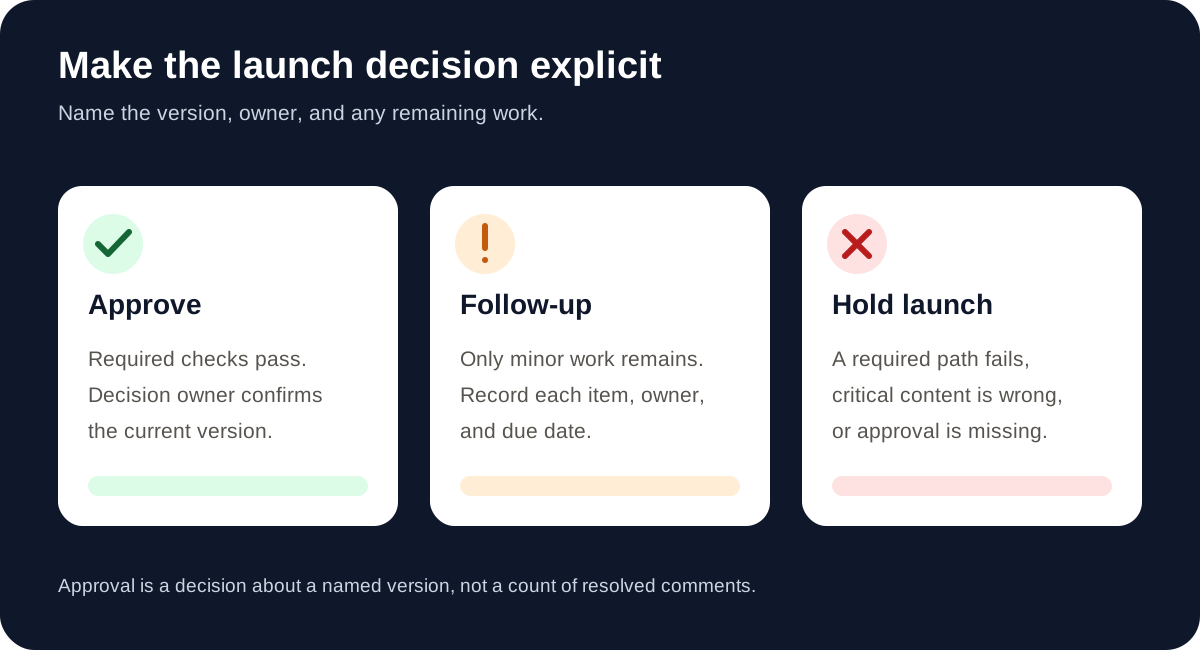
- Hold launch for broken conversion paths, incorrect critical claims, or missing approval.
- Record the decision owner, version, blockers, follow-up items, and launch date in writing.

What Does a Client Need to Approve Before Launch?
Quick answer: The client should approve the current website version’s message, content, key visuals, offers, legal or regulated claims, and intended visitor actions. The agency should confirm that the actual site works, can be found as intended, and measures the actions that matter. One named decision owner should then give written approval tied to the version and launch scope.
A homepage can look finished while the contact form does nothing. A client can love the design while a staging noindex setting still blocks search visibility. That is why a final visual review and a release check need different owners. The wider client design approval process explains review rounds; this checklist focuses on the last decision before a website goes live.
1. Agree on What Each Person Is Approving
Send the client a short review brief with the exact URL or capture, version, deadline, and decision owner. List what they should check, and tell them which technical tests the agency is responsible for. If several stakeholders contribute, consolidate their comments before making a revision. Our process for conflicting website feedback helps when two departments want different outcomes from the same page.
| Owner | Checks | Decision |
|---|---|---|
| Client decision owner | Message, offers, claims, images, priorities, and final sign-off | Approve or request changes |
| Agency lead | Review scope, stakeholder comments, open issues, and schedule | Recommend launch or hold |
| Build and QA team | Forms, links, responsive behavior, redirects, indexing, tracking, and release | Confirm technical readiness |
A visual feedback tool can organize comments; it cannot decide that a claim is legally approved or a form submission was delivered. Keep those responsibilities explicit.
2. Review Content and Visitor Actions
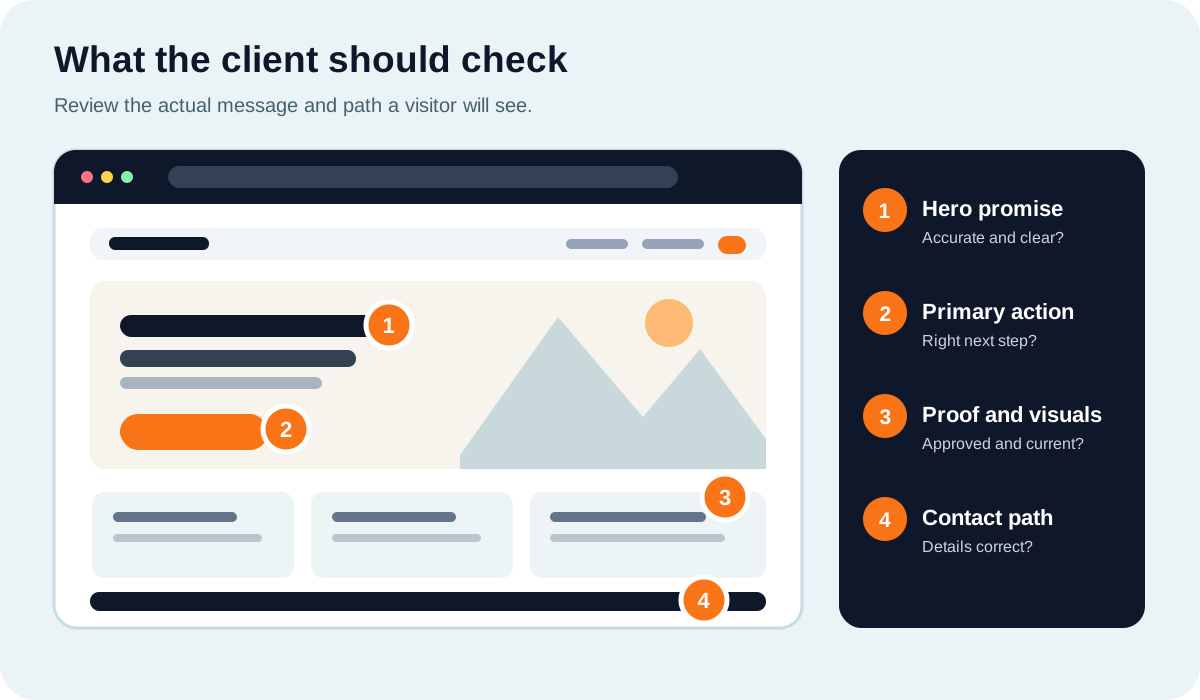
The client is closest to the business facts. Ask them to read the highest-value pages as a visitor would, then verify the details that could cause confusion or a bad lead.
- Message: Does the headline say what the company offers and whom it serves?
- Offer: Are prices, availability, service areas, deadlines, and terms current?
- Proof: Are testimonials, logos, photos, and case-study results authorized and accurate?
- Action: Does each important page make the next step clear, with a working destination?
- Contact: Are phone numbers, email addresses, hours, and locations correct?
- Required text: Have the appropriate owners reviewed policies, disclosures, and regulated claims?
Prioritize the homepage, top service or product pages, pricing, and contact path. Then check representative pages from each template. Asking the client to approve “the whole site” without a URL list often leaves important pages unreviewed. If the website is still changing, identify the exact version in every request and capture each page for visual feedback when useful.
3. Test the Experience on the Actual Website
A capture is a fixed visual snapshot. It cannot prove that a menu opens or a form sends a message. Use the live or staging site for interaction checks, and keep the test result with the page and version under review.
- Submit every important form with valid and invalid entries. Verify the confirmation message and actual delivery.
- Follow the primary calls to action through the final step, including booking or checkout if applicable.
- Open navigation, accordions, and dialogs on mobile and desktop.
- Check layout, text wrapping, tap targets, and image crops at common screen widths.
- Use a keyboard to reach links, buttons, and form fields with visible focus.
- Check labels, error messages, headings, alt text, and readable contrast.
The W3C’s accessibility easy checks are a useful first pass for keyboard access, forms, headings, and images. They are a starting point, not a full accessibility audit. A failed primary form is a launch blocker, not a cosmetic note. The client feedback problems article has examples of turning vague reports into reproducible requests.

Make the Final Review Easier to Follow
Give stakeholders one page and version to review, then work through comments before asking for a clear decision.
Explore the Product4. Confirm Search, Tracking, and Release Basics
Give these checks to the agency’s technical owner. The client needs to know they passed, but does not need to inspect every tag or redirect personally.
- Search visibility: Remove unintended staging
noindexrules and crawl blocks from pages meant to appear in search. - Canonical URLs: Check the preferred URL and redirects for old pages, including host and trailing-slash decisions.
- Sitemaps: Include the intended canonical pages and submit the sitemap where appropriate.
- Analytics: Verify page views and the agreed lead or purchase events, not just that a tag exists.
- Release: Confirm domain, HTTPS, final deployment, and a rollback contact or plan.
- Performance: Check important pages on mobile for slow loading or layout movement.
Google documents how noindex works and how to build and submit a sitemap. Google Analytics recommends using Realtime or DebugView to verify events. These checks should be repeated against the production domain after launch, since staging success does not prove the live path works.
5. Separate Launch Blockers From Follow-Up Items
“Almost done” is not a decision. Triage open issues with the client before sign-off. Severity depends on the site’s purpose, but the following examples make the conversation concrete.
| Issue | Likely decision | Why |
|---|---|---|
| Primary lead form does not submit | Hold | The main conversion path is broken. |
| Critical offer or legal claim is wrong | Hold | Visitors could be misled. |
Intended public pages have noindex | Hold for an SEO-led launch | Search engines are instructed not to index them. |
| Minor spacing issue on a low-priority page | Follow-up may be reasonable | Record owner and due date if the experience remains usable. |
| No named client approval | Hold | The business decision has not been made. |
Do not turn a genuine blocker into a “post-launch item” just to protect the calendar. If an issue changes scope or requires another round, use the revision and scope process to agree on timing and responsibilities.
6. Ask for a Specific Written Sign-Off
After the final changes are checked, give the decision owner a short summary. Name the version, list what was resolved, identify remaining nonblocking work, and ask for one of three answers: approved, approved with agreed follow-up, or changes requested.
Sample sign-off request
“Please review the production-ready homepage and service pages listed below, version 3, by Friday. We fixed the form delivery issue, updated the service area copy, and checked the mobile navigation. The footer spacing item is assigned to us for Monday. Are these pages approved for launch on Tuesday, subject to the final production checks?”
Keep the client’s answer with the version and URL list. A resolved comment is not the same as approval of the work. Jottrly separates comment resolution from file review status, which can help keep that distinction visible. For a more detailed review sequence, see the client approval workflow.
7. Recheck the Production Site After Launch
Approval is tied to a version. Deployment can introduce a new problem through environment settings, redirects, or a form integration. Do one short pass on the actual domain immediately after release.
- Open the homepage and the highest-value landing pages.
- Submit a real form or complete the primary conversion path.
- Confirm the expected domain, redirects, and HTTPS.
- Verify analytics receives the expected events.
- Check that intended pages are indexable and the sitemap loads.
- Record any new issue, owner, and next update to the client.
If the production version differs materially from what the client approved, say so and request another review. A snapshot can help people discuss the visible page, but interactive behavior still needs to be tested on the site itself.
Client Website Launch Approval Checklist
- Review scope: named URLs, version, deadline, and final decision owner.
- Business facts: services, offers, claims, pricing, testimonials, contact details, and required text.
- Experience: mobile layout, navigation, forms, buttons, keyboard access, and clear errors.
- Technical: redirects, canonical URLs, indexing, sitemap, tracking, domain, and HTTPS.
- Open issues: blocker or follow-up, with owner and due date.
- Decision: written approval of the identified version and launch scope.
- After release: production smoke test and client update.
Keep Launch Feedback Connected to the Work
Capture website pages, pin feedback to the right place, and keep revisions and review decisions together.
Contact JottrlyFrequently Asked Questions
Who should approve a client website before launch?
The client should name one person with authority to approve the content and business decisions. The agency should separately own technical QA and release readiness. Record both responsibilities before the final review.
Does client approval mean the website is technically ready?
No. Client sign-off confirms the named version meets the agreed business and content requirements. Forms, navigation, indexing, tracking, accessibility, and deployment still need appropriate technical checks.
Should a broken contact form stop a website launch?
Usually yes if the form is a primary conversion path. Reproduce the failure, fix it, submit a real test, and verify delivery and the confirmation state before asking for launch approval.
Can a client approve a launch with minor issues remaining?
Yes, if the issues are genuinely minor and everyone agrees they do not block the core experience. Record each item, its owner, due date, and the version being approved. Do not use conditional approval to hide a broken key path.
How should we review several pages before launch?
Group pages by template and priority, then identify the exact URLs and versions in the review request. Ask stakeholders to place comments on the relevant page rather than sending one combined list with unclear locations.
Does resolving every design comment count as approval?
No. A resolved comment addresses one issue. Ask the decision owner to confirm that the current version is approved for the stated launch purpose.
What if a stakeholder requests a change after sign-off?
Identify the approved version, the new request, and its effect on the launch date and scope. Agree on whether to fix it before launch or schedule another round. Review the revised version before treating it as approved.