Key Takeaways
- Start with the work you review: uploaded mockups, live websites, and multi-stage creative approvals require different capabilities.
- Compare the reviewer experience separately from the seats your internal team needs.
- Version history, side-by-side comparison, resolved comments, and approval records are different features.
- Check the full plan cost, billing commitment, usage limits, and features required for your recurring workload.
- Jottrly is a new option for design feedback and approvals; its final commercial terms are not confirmed here.

Your homepage mockup is ready. One client sends an email, another marks up a screenshot, and a third comments on last week's layout. The designer has feedback, but first has to work out which request belongs to which element and version.
A visual feedback and approval tool gives those comments a place on the work. The useful question is how well it handles the rest of your review: access, revisions, decisions, and the record you need at handoff.
These five options cover several agency workflows. The order is a shortlist, not a scored ranking. A tool that suits a two-person studio may differ from one that routes campaigns through several departments.
A Note About This Comparison
Jottrly publishes this article and is included in the shortlist. Competitor details were checked against official product, pricing, and help pages on October 10, 2026. This is a documentation-based comparison, not a hands-on performance test. Jottrly's scope is based on founder-provided product information; app behavior and final plan terms have not been independently verified here.
Visual Feedback Tools at a Glance
Use this table to build your shortlist. Prices are in USD before tax. Annual rates are monthly equivalents with an annual commitment, not month-to-month payments.
| Tool | Consider It For | Client Access | Pricing and Main Limit |
|---|---|---|---|
| Jottrly | Uploaded design and website capture feedback with approval decisions | Share-link workflow; account requirements unconfirmed | Final price and plan limits unconfirmed |
| Markup.io | Website and mixed-content feedback | Guests without signup | Pro from $79/month; 50 MarkUps/month |
| Pastel | Website reviews and responsive layouts | No account; name and email requested | Free: 1 user, 1 canvas. Pro: $35/month, 2 users, 3 canvases |
| Filestage | Internal and external file approval rounds | Reviewers without an account | Free: 1 active project, 5 new files/month. Starter: $249/month or $199/month billed yearly |
| Ziflow | Creative proofing with staged review workflows | Guest proof links; controls depend on setup | Free: 2 users, 2GB, 60-day review history. Standard: $249/month or $199/month billed yearly |
Pricing sources: Markup.io, Pastel, Filestage, and Ziflow. See each section for versions, approvals, and plan-specific tradeoffs.
How We Compared These Tools
The selection centers on creative teams that repeatedly send visual work to clients. We considered annotation, reviewer access, version context, and approval handling, then checked the pricing model behind those capabilities.
- Content fit: Can you review the formats you actually deliver, and does the tool handle a live page or only an uploaded image?
- Review context: Can people point to the issue, discuss it, and find the current version?
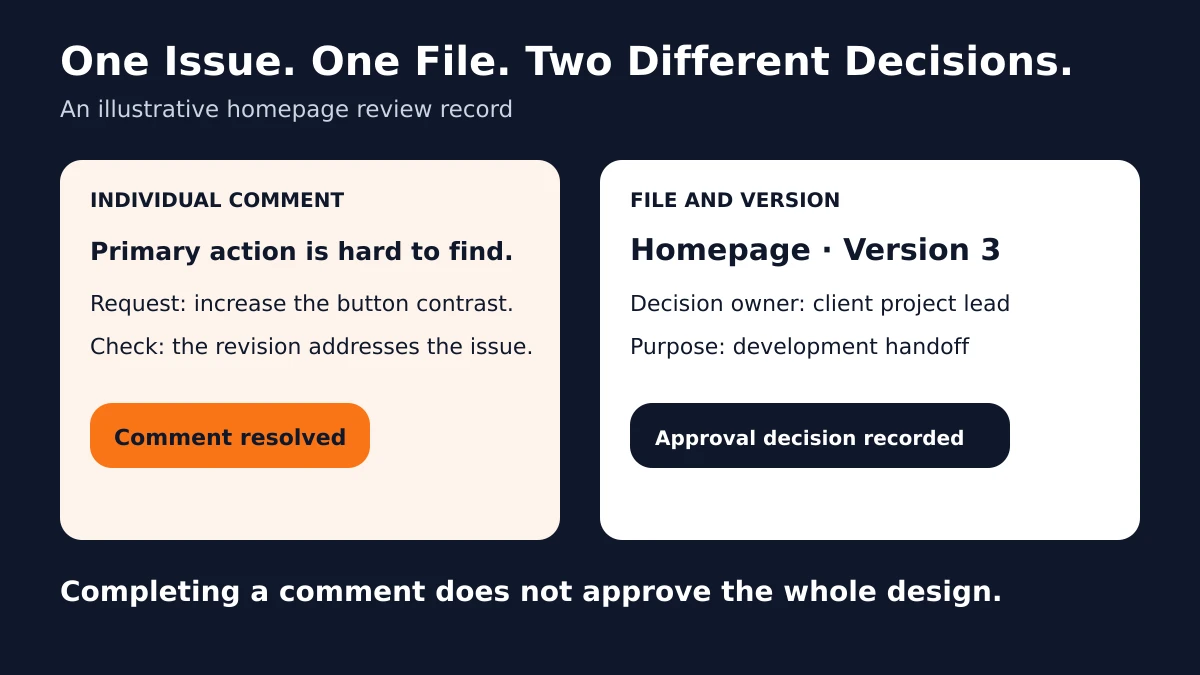
- Decision handling: Can your team distinguish an individual completed request from approval of the file?
- Adoption: What must a client do to open the review and contribute?
- Commercial fit: What do seats, usage, storage, history, and required features cost?
We did not award numerical ratings or measure speed, reliability, or client adoption. Recommendations below are editorial judgments about documented workflow fit. A practical trial with your own files should settle the final choice.
1. Jottrly: A New Option for Design Feedback and Approvals
Jottrly is a visual feedback and approval tool for creative teams and agencies. It connects marks, discussions, revisions, and decisions to uploaded creative work or a website page captured from its URL.
The founder-described product scope includes designs, screenshots, and PDFs; numbered pins and drawing annotations; per-mark comment threads; open and resolved comments; version history; and the file statuses In review, Changes requested, and Approved. Comment exports to CSV and PDF are also part of that described scope.
Where It Fits an Agency Workflow
Consider a studio reviewing a homepage mockup before development. The useful sequence is to mark the unclear action, discuss the intended result, review a revised layout, and record a decision on the identified version. That is the problem Jottrly is designed to address.
Its positioning fits teams looking for design and captured website review alongside their project management workflow alongside their existing project management system. That is a targeting recommendation, not evidence that Jottrly is easier, faster, or less expensive than another product.
What to Confirm Before Choosing
Jottrly is new. Confirm current app functionality, supported extensions and upload limits, share-link access requirements, exports, and the plan that includes each feature. Jottrly can capture a website page from its URL for visual feedback. The resulting snapshot is not an interactive live website review. Timecoded video review, side-by-side comparison, integrations, and account-free guest access remain unconfirmed.
Pricing: Final prices, free-offer terms, and plan entitlements are not confirmed here. Avoid budgeting from provisional website copy. Start with the Jottrly product overview and check the current commercial terms before committing.
2. Markup.io: Website and Mixed-Content Feedback
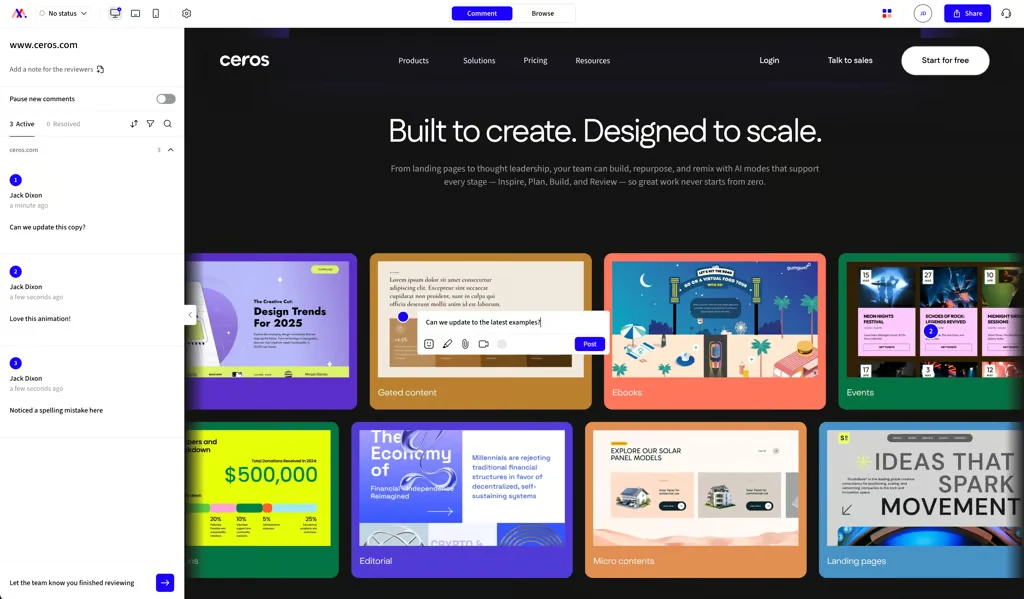
Markup.io supports pinned feedback on websites, images, PDFs, and videos. Its official site describes annotations and guest participation without signup. That combination makes it worth considering when client reviews span several kinds of deliverable.
A Practical Agency Use Case
Your team reviews a staging page, a campaign PDF, and a short promotional video. A mixed-content tool belongs on the shortlist if reviewers need to point to the relevant element rather than describe it in a separate message.
The strength to investigate is the combination of content coverage and external participation. Its product site also describes PDF markup and timestamped video comments. Check your exact formats and staging access conditions before treating the whole project as covered.
Versions, Approvals, and Tradeoffs
Markup.io's official comparison material describes per-reviewer sign-off status. Verify how that decision relates to a revised file and whether the version workflow preserves the context your team needs. A pinned comment alone does not establish the full approval process.
The pricing model uses a monthly MarkUp allowance rather than a per-seat starting price. That can suit broad participation, but you need to establish how new assets and revisions consume the allowance.
Pricing: The official Markup.io pricing page lists Pro from $79/month for 50 MarkUps, with unlimited users, one workspace, and 100GB storage. Additional MarkUps are sold in batches of 10 at $40 per batch. It offers a 14-day trial. Confirm the selected allowance and billing option at checkout.
Approval source: Markup.io's description of reviewer sign-off.
3. Pastel: Website Feedback for Web Design Agencies
Pastel creates a review canvas from a website URL or supported uploaded content. Its website review workflow lets reviewers interact with the page and then leave comments on the relevant element.
A Practical Agency Use Case
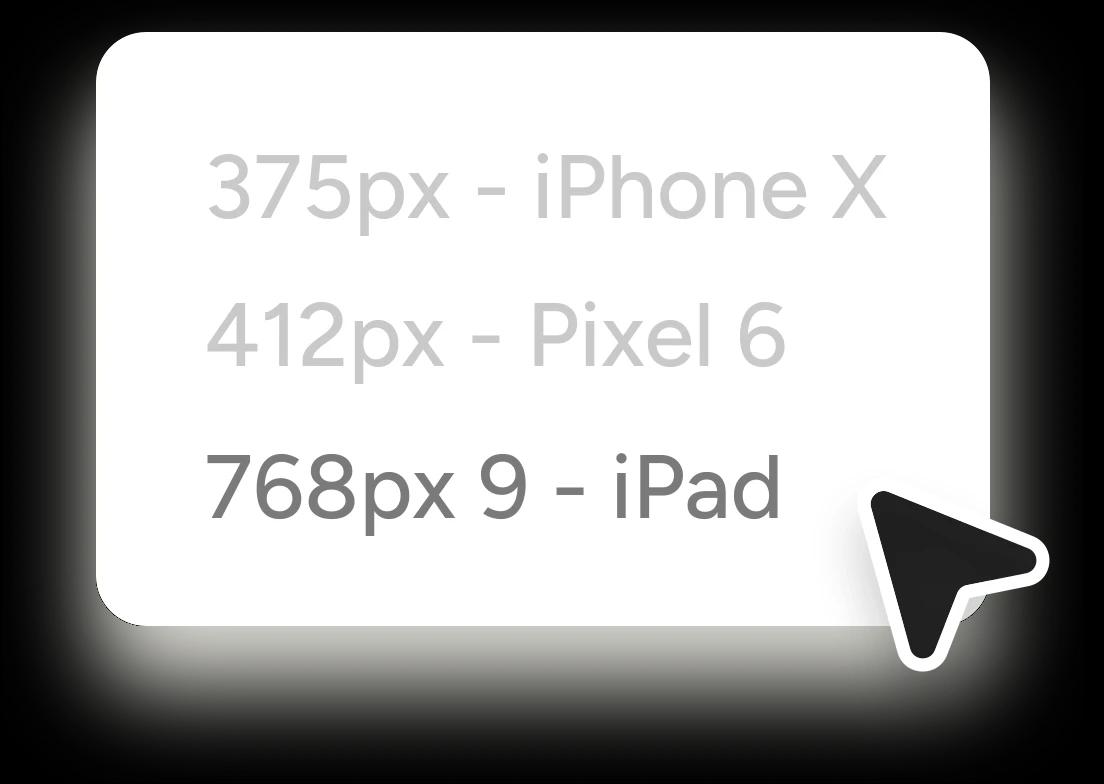
A web studio has finished a staging page and needs the client to assess its desktop and mobile layouts. A URL-based canvas is relevant here because the review concerns the implemented page, not just a static mockup.
Pastel's FAQ says reviewers can comment without creating an account, although they provide a name and email. It also describes image and PDF review. For protected staging work, check whether Pastel can reach the page before planning the client review.
Versions, Approvals, and Tradeoffs
Pastel's plans page lists versions, approvals, CSV export, and comment organization. Its documented version navigation should not be confused with a claim that it automatically highlights every visual difference. Test how changing website content affects the record of earlier feedback.
Canvas and internal-user limits matter more than the number of client comments. A solo reviewer running one project has different requirements from five colleagues creating reviews across several clients.
Pricing: The Pastel plans page lists Free with one user and one canvas; Pro at $35/month with two users and three canvases; and Team at $119/month starting with five users and unlimited canvases. Annual Team billing is $1,190/year. The displayed $99/month annual figure is rounded, not a monthly payment.
Access and compatibility source: Pastel's official FAQ.
Keep Feedback Connected to the Work
Jottrly is a visual feedback and approval tool for creative teams and agencies. Explore the plans currently presented, and confirm availability and limits before choosing.
Explore Jottrly Pricing4. Filestage: Structured Internal and External Approvals
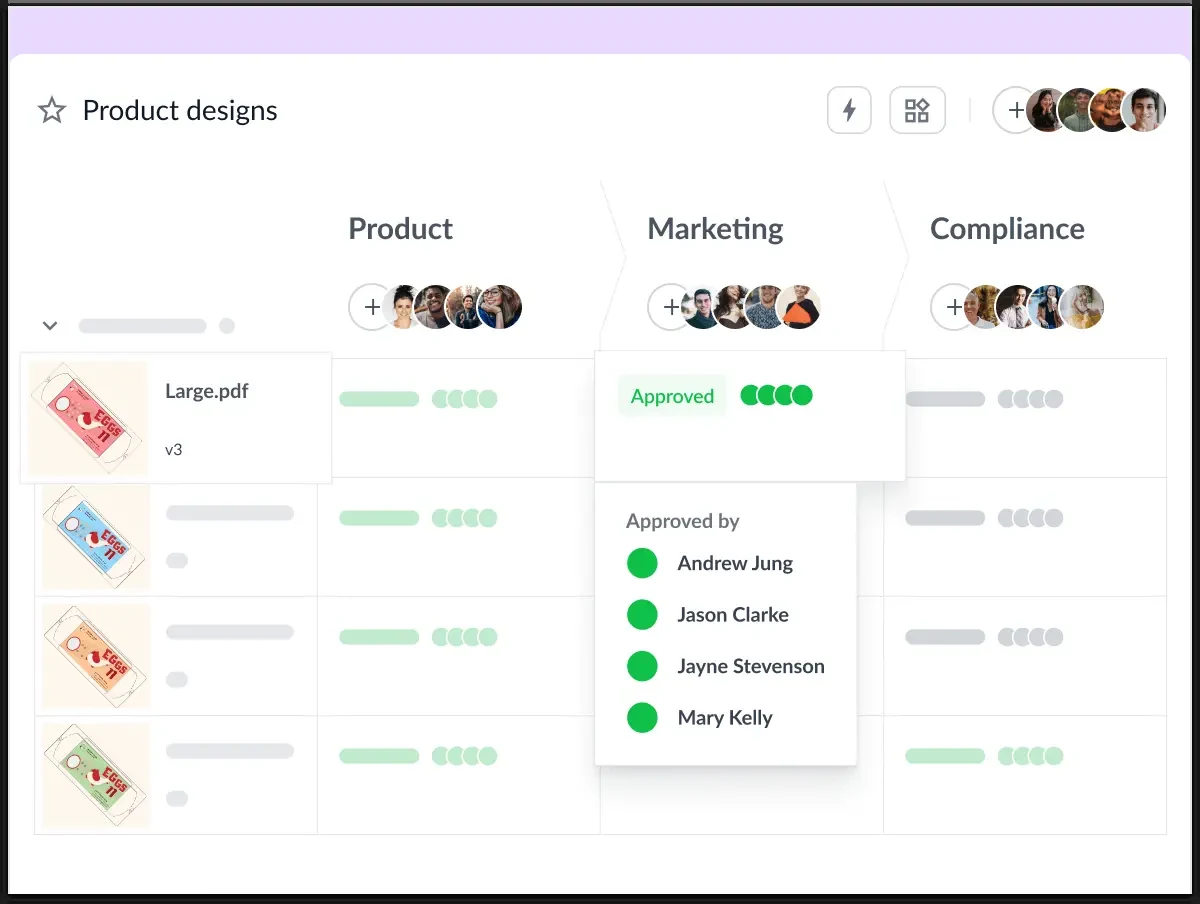
Filestage combines file annotation with reviewer groups and review decisions. Its official product material covers images, documents, video, audio, and website content. Consider it when the review needs an organized internal round before work goes to the client.
A Practical Agency Use Case
An agency prepares a campaign PDF. The creative lead checks the design first, then the client's marketing team reviews the message. Separate review groups can help keep those responsibilities clear, provided your selected plan includes the process you need.
Filestage documents comments and annotations alongside content, plus version comparison. The useful question is how each review group knows it has finished assessing the current version.
Versions, Approvals, and Tradeoffs
Starter includes side-by-side comparison; Business adds advanced comparison and further workflow features. Confirm the tier required for your full process, particularly if resolving comments, reporting, or automation is essential.
Reviewer groups give the team structure, but someone still needs to decide who reviews at each stage and who can authorize handoff. Software cannot settle two conflicting stakeholder requests on its own.
Pricing: The Filestage pricing page lists a free plan with one active project, five new files per month, and 10 team members. Starter includes 10 seats and costs $249/month, or $199/month with yearly billing. External reviewers do not need an account. Check higher-tier requirements before assuming Starter covers every feature shown on the site.
Product source: Filestage file proofing.
5. Ziflow: Creative Proofing With Staged Review Workflows
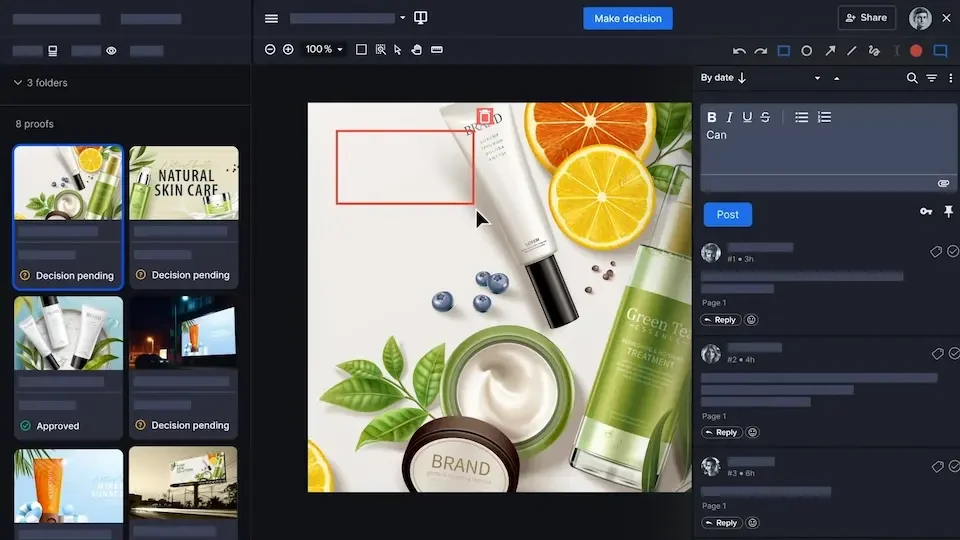
Ziflow documents creative proofing across images, documents, video, audio, and live websites. Its product overview emphasizes customized review stages, version control, and routing work to stakeholders.
A Practical Agency Use Case
A campaign includes artwork and supporting documents that need creative review followed by a separate client decision. Staged proofing is worth investigating when the order and record of those reviews matter as much as the comments themselves.
Ziflow's documented workflow coverage makes it a candidate for teams with more involved review requirements. The tradeoff to assess is the process your team must configure and maintain, rather than assuming more features automatically produce a better review.
Versions, Approvals, and Tradeoffs
The product overview describes version control and configurable approval workflows. Plan entitlements matter: the pricing page places resolved comments on Pro and automatic deadline reminders on Enterprise. Check the exact tier behind any feature you rely on.
Ziflow distinguishes users who create and manage proofs from guest reviewers who receive a proof link. Its guest documentation describes access without logging into a Ziflow account; the configured authentication and permissions still matter.
Pricing: The Ziflow pricing page lists Free with two users, 2GB storage, one workflow stage, and 60 days of review history. Standard includes 15 users and two workflow stages at $249/month, or $199/month billed annually.
Sources: Ziflow product overview and Ziflow user and guest definitions.
What Would a Five-Person Agency Pay?
Use a defined workload instead of averaging unrelated entry prices. This example assumes five internal people need to create or manage reviews, several clients need external access, and the agency has recurring work across multiple projects. It is an illustration, not a usage forecast.
| Tool and Plan | Monthly Billing | Annual Commitment | What to Check |
|---|---|---|---|
| Jottrly | Unconfirmed | Unconfirmed | Seats, usage, availability, and included features |
| Markup.io Pro | $79 | Confirm selected allowance | 50 MarkUps/month; check revision counting and overages |
| Pastel Team | $119 | $1,190/year | Five starting users; additional users cost extra |
| Filestage Starter | $249 | $2,388/year | 10 included seats; verify required feature tier |
| Ziflow Standard | $249 | $2,388/year | 15 included users; two stages may not cover your full process |
The annual totals for Filestage and Ziflow are calculated from the published $199 monthly equivalent. Pastel publishes the $1,190 annual payment directly. These plans are not feature-equivalent: a team needing a higher-tier feature could pay more even with the same number of people.
Separate your internal creators from external reviewers, then count the assets or canvases your agency maintains. Confirm whether revisions, archived work, and review history affect the allowance. Include add-ons and the billing commitment in the decision.
A free plan can still be useful for a small, low-volume workflow. It becomes less representative when the production workload exceeds its project, creator, storage, or history limits. A trial of a paid tier also does not establish what remains available on the free plan.
Choose Around the Review You Need to Run
For Uploaded Design Mockups and PDFs
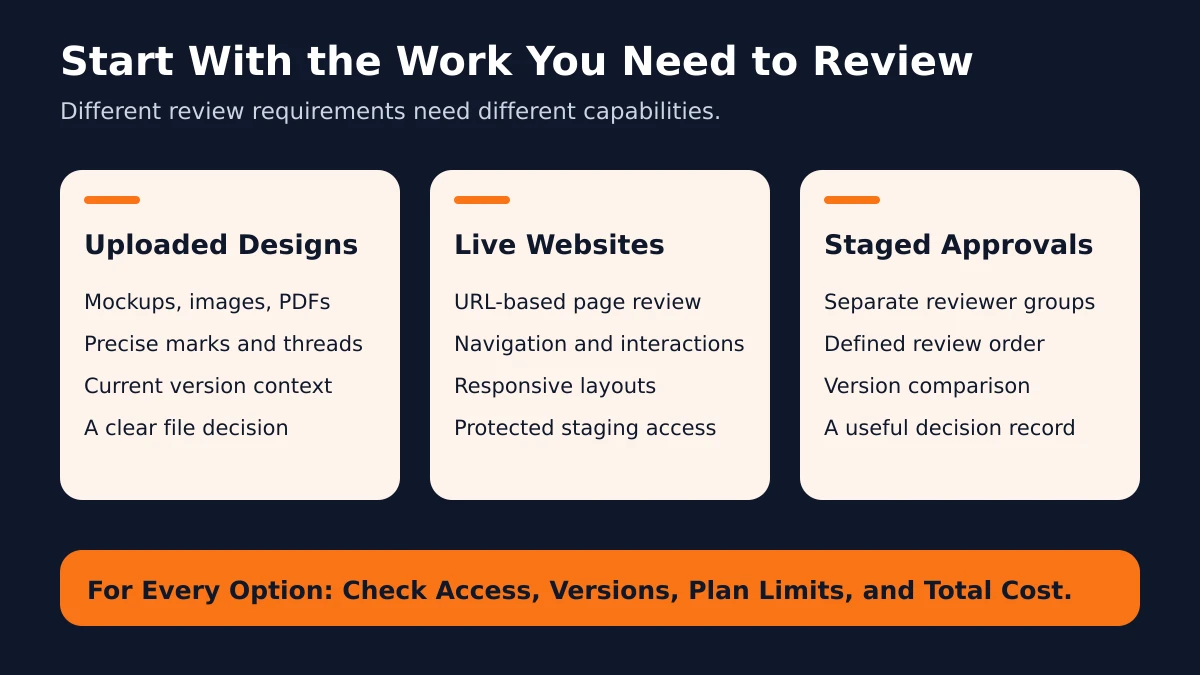
Prioritize rendering, readable annotations, version context, and a decision on the file. Jottrly's positioning is relevant to this workflow, subject to current product verification. Markup.io, Pastel, Filestage, and Ziflow also document image and PDF review. Try a dense, multi-page sample rather than a simple image.
For Live or Staging Website Reviews
First decide whether reviewers need to interact with the live page or annotate a captured snapshot. Jottrly captures website pages from a URL for pinned feedback. Markup.io and Pastel are candidates for interactive website review; Filestage and Ziflow also list website support. Test responsive layouts, navigation, protected access, and changing content. Do not treat screenshot annotations as evidence that a tool can review page interactions.
For More Structured Approval Rounds
Investigate reviewer groups and workflow stages in Filestage and Ziflow. Check the number of stages, the decisions required to advance, and the historical record. The plan must fit your actual sequence, including what happens when a reviewer requests another revision.
Your review process matters alongside the software. Our client design approval process for agencies explains how to identify a decision owner and close a round clearly.
Test a Complete Review Before You Commit

Use a non-confidential sample project that resembles your client work. Ask a colleague to participate as an external reviewer. Give them the same short instructions you would send a client and observe where clarification is needed.
- Open the work: Check text, page order, image detail, and any responsive or interactive behavior.
- Invite a reviewer: Record the actual access steps and identity requirements.
- Leave specific feedback: Mark the element, explain the concern, and describe the desired result.
- Discuss the request: Confirm that replies stay connected to the right issue.
- Add a revision: Check whether old comments, versions, and decisions remain understandable.
- Resolve and approve separately: Find out how the tool records each decision on the current work.
- Check handoff and privacy: Test required exports, review-link controls, and visibility for different participants.
- Confirm the plan: Verify price, limits, required tier, and what changes after the trial.
For wording reviewers can use during that test, see how to give design feedback your team can act on.
Choose the tool that supports your recurring review without asking the team to work around its limits. The useful result is clear feedback on the current version and a decision everyone can identify.
Frequently Asked Questions
What is a visual feedback tool?
A visual feedback tool lets reviewers attach comments or annotations to a specific part of a design, document, or website. It gives the person making changes the location and discussion behind a request. Depending on the product, it can also organize versions, review decisions, and exports.
How does visual feedback differ from online proofing?
Visual feedback describes commenting directly on the work. Online proofing usually adds a structured review process, such as reviewer groups, approval stages, version comparison, and decision records. The categories overlap, so compare the actual workflow and plan rather than relying on the product label.
Which tools support live website feedback?
Markup.io and Pastel document interactive website feedback. Filestage and Ziflow also list live website support. Jottrly captures a website page from a URL for pinned feedback. An uploaded website screenshot is different from a live website review: it cannot demonstrate navigation or changing page behavior. Check compatibility with your staging access and page interactions before choosing a plan.
Can clients review without creating an account?
Markup.io, Pastel, and Filestage document reviewing without creating an account. Ziflow documents guest access through proof links without a Ziflow account login. Identity checks, passwords, and access settings can still apply. Jottrly guest account requirements are not confirmed in this comparison.
Can these tools handle PDFs and design mockups?
The four established products in this comparison document image and PDF review. Jottrly supports uploaded designs, screenshots, and PDFs, plus website page captures from a URL. Confirm specific formats, file sizes, rendering, and current availability with a representative file before relying on any tool for a client project.
Does resolving comments mean a file is approved?
No. Resolving a comment closes an individual issue. Approval records a decision about an identified file and version. Ask your decision owner to confirm the purpose of the approval, such as development handoff, and review a later revision before treating it as approved.
What should a small agency check in a free plan or trial?
Check internal user limits, active projects or canvases, monthly uploads, storage, review history, and the features available after the trial ends. A plan can allow unlimited external reviewers while limiting the people who create and manage reviews. Test your recurring workload, not just one sample file.
Can a visual feedback tool replace project management software?
A review tool can organize comments and decisions, but that does not establish support for budgeting, resourcing, scheduling, or invoicing. Keep your wider project workflow where it works well, and check how review notes can be exported or connected to it. Verify any required integration and its plan entitlement.
Find the Right Fit for Your Review Process
Jottrly is a visual feedback and approval tool for creative teams and agencies. Explore the plans currently presented, and confirm availability and limits before choosing.
Compare Jottrly PlansOfficial Sources and Verification Notes
Product and pricing details were checked October 10, 2026. Monthly prices for Filestage and Ziflow were also checked against the monthly values in their official pricing pages. Plans and terms can change; use the linked vendor pages to confirm the option you select.
- Markup.io product, pricing, and reviewer sign-off description.
- Pastel workflow, plans, and FAQ.
- Filestage proofing and pricing.
- Ziflow product, pricing, and guest access documentation.
Vendor imagery is reproduced from the linked official product pages with attribution. Editorial illustrations explain review concepts and are not screenshots.